


How to translate our web pages
Scientific database subscriptions
As our English language pages are still under development, we hope this guide can help translate and navigate them in different browsers.
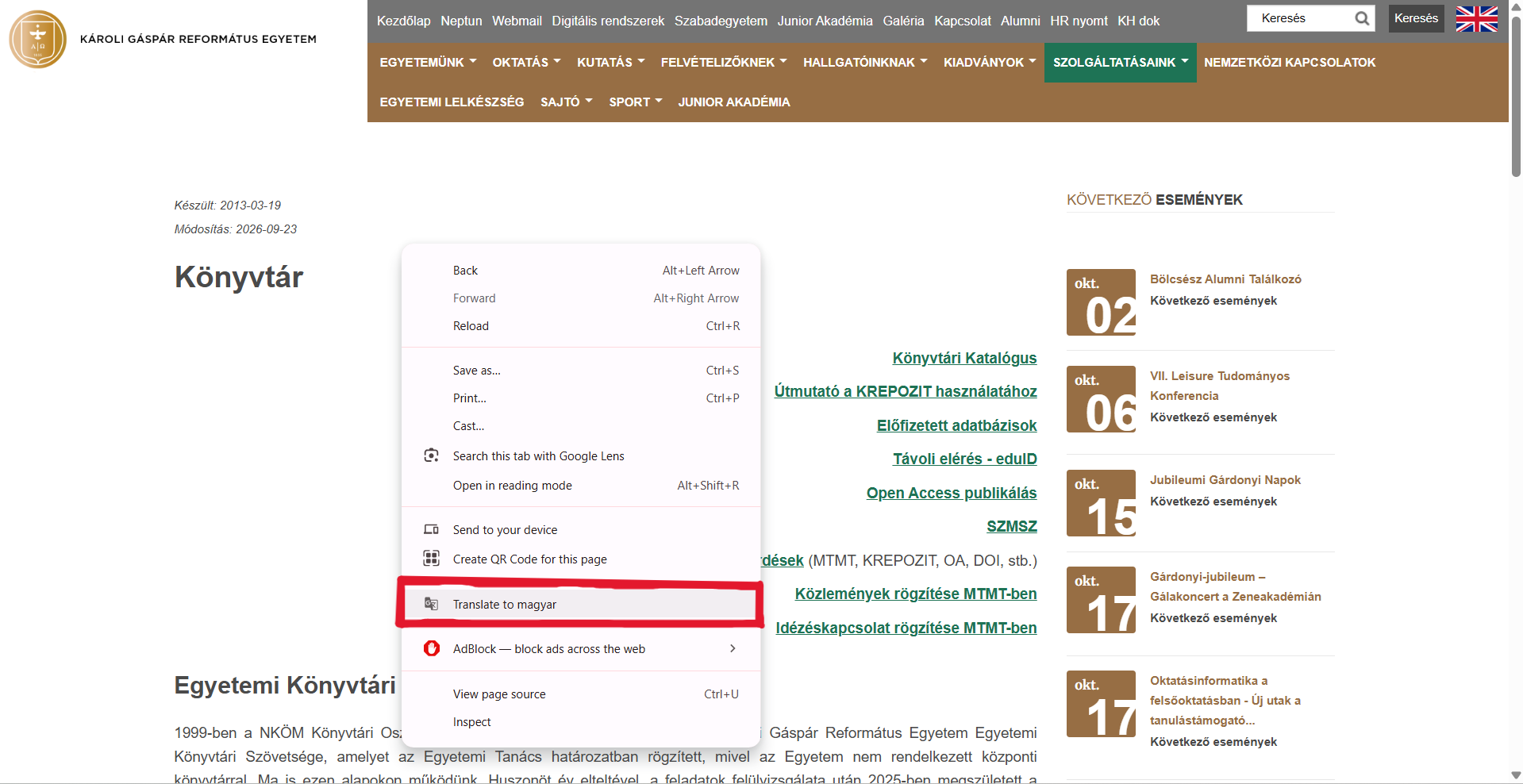
Google Chrome
To translate a page in Chrome, click on a neutral area on the website (a place where there are no links, etc.) and select “Translate to [selected language]”.
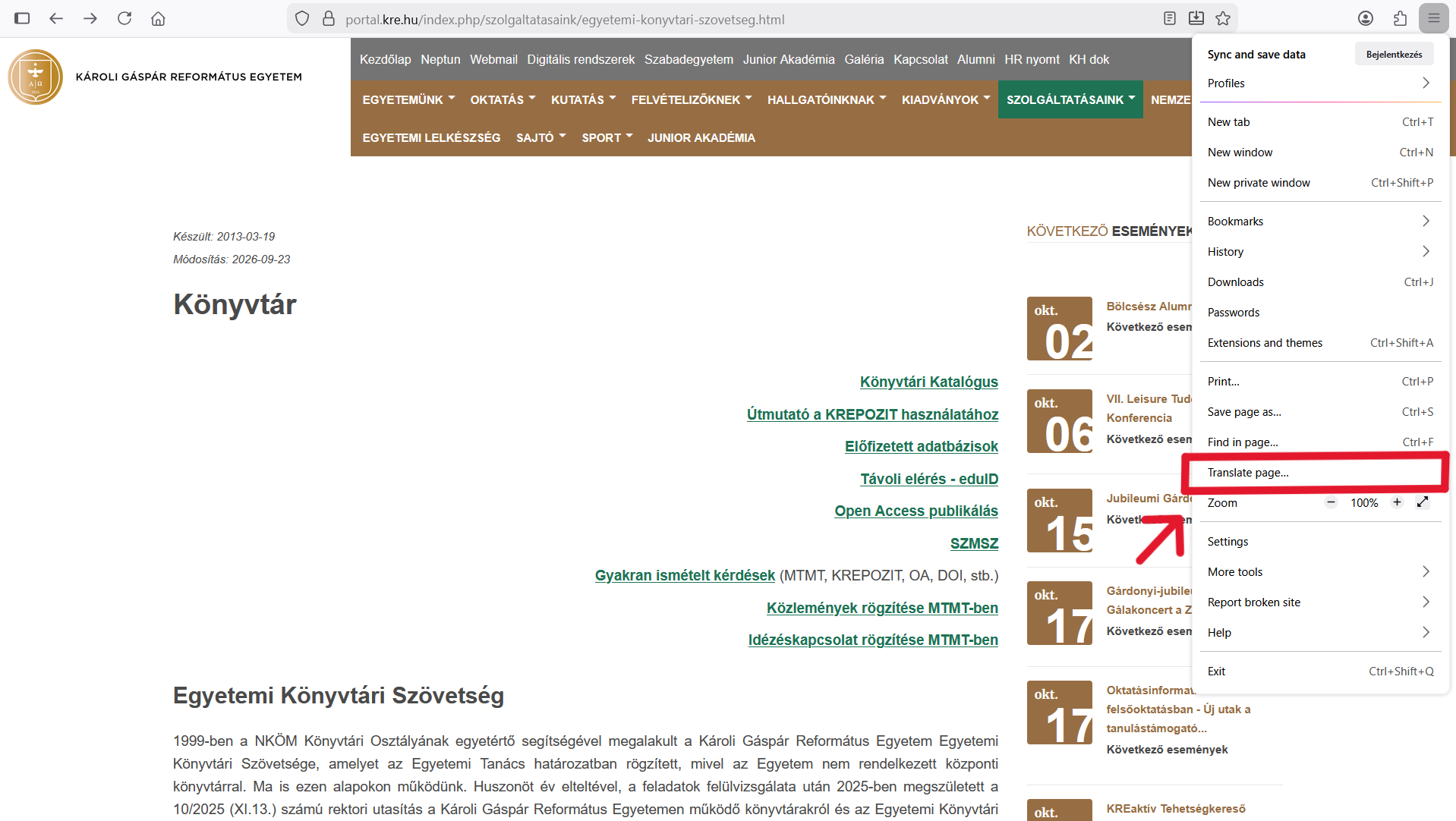
Firefox
To translate a page in Firefox, click on the three lines in the right hand corner on the top and select “Translate page…”.
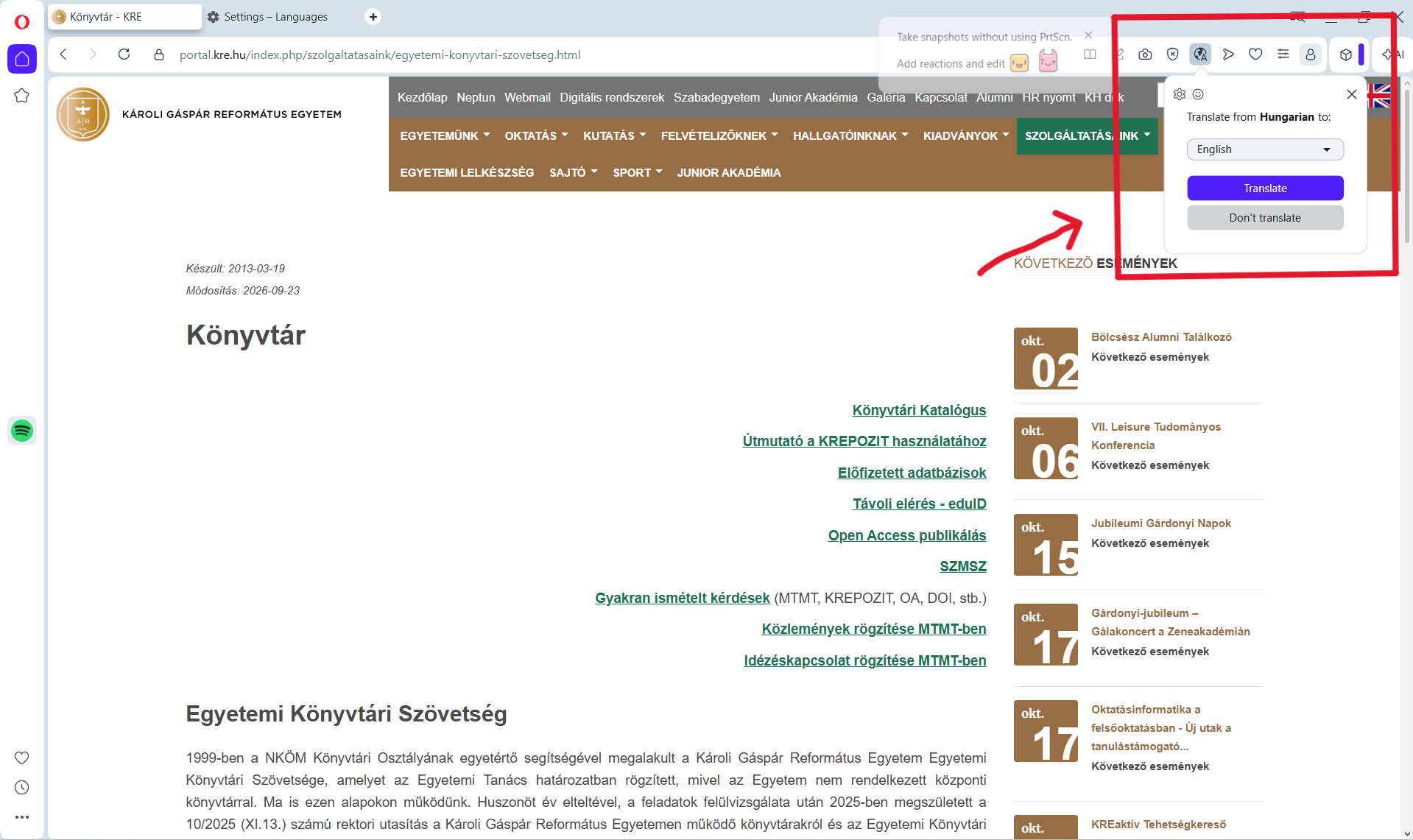
Opera
To translate a page in Opera, in the URL line on top click on the globe icon with the capital “A” on the right end and select the “Translate from [language] to:” option.
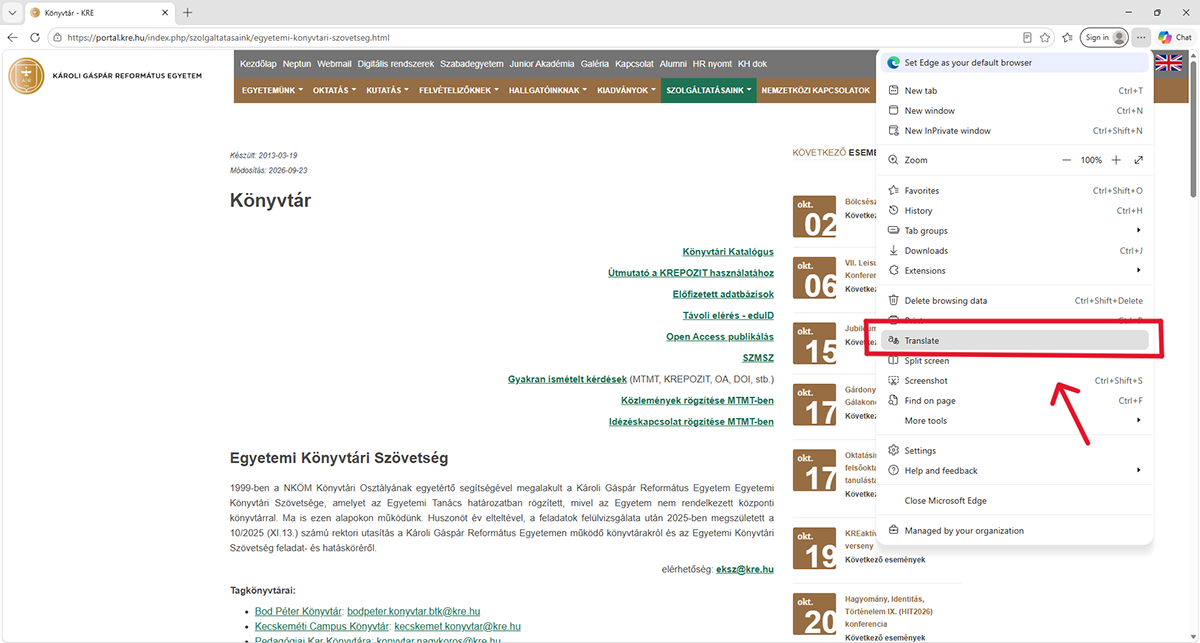
Microsoft Edge
To translate a page in Microsoft Edge, click on the three dots on the right hand side of the URL line and select “Translate”.
Created: 2026. September 30.
Modified: 2026. October 25.